


Visitor registration requires more than a list of names
In many organizations, visitor registration starts small. A paper sign-in sheet at the front desk. An Excel file on a shared drive. A separate inbox for invitations. Maybe even a combination of all three.
That works as long as things stay quiet. But once you have multiple visitors each day, several locations are involved, or security and facilities teams also need access to the information, things quickly become complicated.
- Who is in the building today?
- Has that visitor already checked out?
- Which host is responsible for which visit?
- And where can you find the information in the event of an incident or evacuation?
At that point, visitor registration is no longer a minor administrative detail. It becomes part of your organization’s security, privacy, and professional welcome experience.
A centralized Visitor App helps you organize this more effectively. Not by making the process more complicated, but by bringing everything together in one clear environment.
From paper sign-in sheets to real-time visibility
Paper logbooks may feel familiar, but they have one major disadvantage: they are never truly up to date. Someone signs in, forgets to sign out, or enters information that is difficult to read. The front desk then has to manually check who is still in the building. In an emergency, you do not want to rely on that.
With the Visitor App, visitors are registered digitally. For each location, you can see who is present, when they checked in, and which host the visit is connected to. The information is immediately available to reception, security, and facilities teams.
No separate Excel files. No stacks of paper. No uncertainty about which version is the latest.
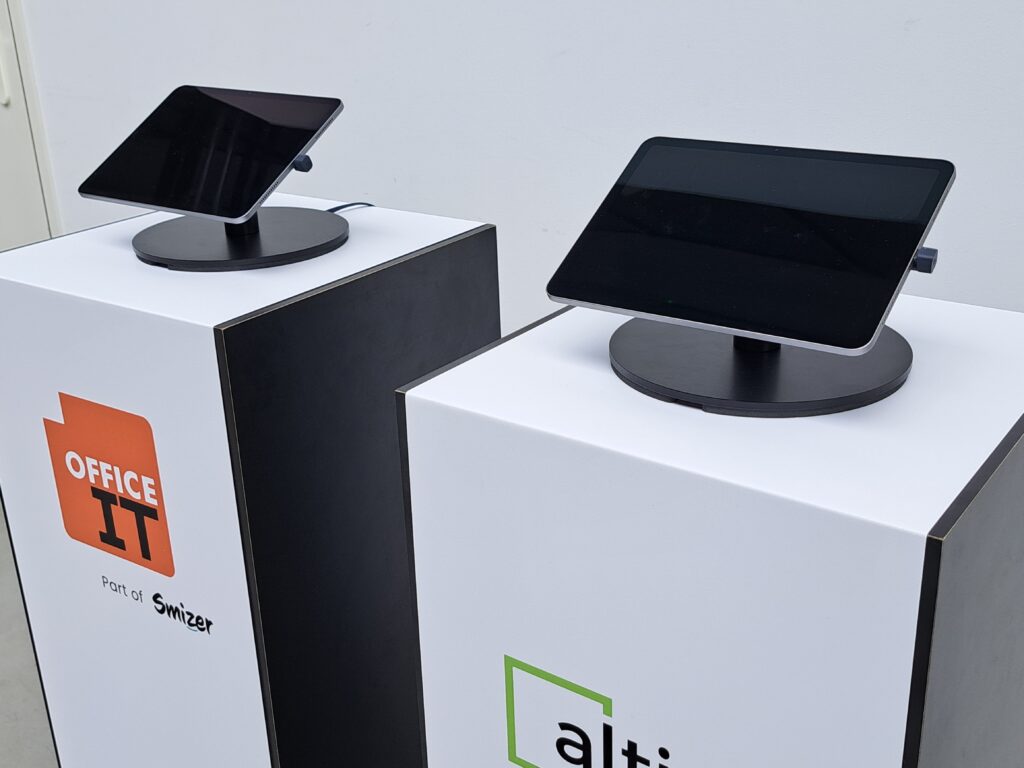
Visitors check in using a tablet or kiosk at the front desk or entrance. Their registration is processed centrally and is immediately visible to the appropriate employees. This creates one reliable overview of every visitor across your organization.
Visitor registration without the chaos
A busy front desk does not need extra steps. Especially not on Monday mornings, during events, or at locations where large numbers of vendors, customers, or external employees come and go.
The Visitor App makes the process easier to manage. Visitors can be preregistered through an invitation. They automatically receive a confirmation and can easily check in using a QR code when they arrive.
As a result, the front desk has less information to enter manually. The host is automatically notified when the visitor arrives. And the visitor immediately gets a professional first impression.
That is exactly what effective visitor registration is about: less searching, less manual work, and greater clarity for everyone.
What a professional welcome looks like with the Visitor App
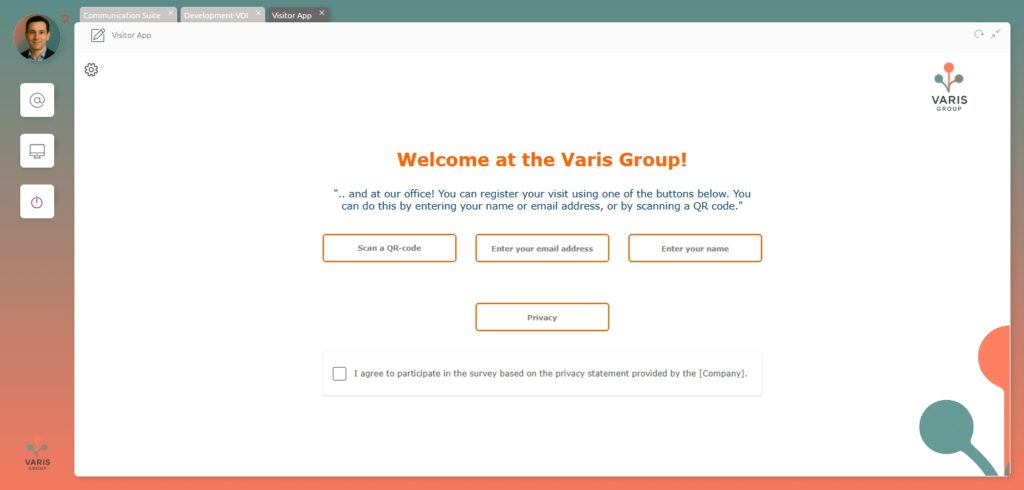
A visit often begins before someone even reaches the front desk. Think of an appointment confirmation, directions, or practical instructions. The Visitor App supports this entire process digitally.
An employee invites a visitor in advance. The visitor receives a confirmation containing the relevant information and, where applicable, a QR code. Upon arrival, the visitor scans the code on a tablet or checks in through the kiosk.
After that, everything else happens automatically.
The registration is recorded. The host receives a notification. Any required documents, declarations, or access arrangements can also be included in the process. This could include an NDA, a health declaration, or a temporary access badge.
For the visitor, the experience feels seamless. For the front desk, it means fewer manual steps. For the organization, it provides greater control.
ISO-compliant visitor registration starts with clear procedures
For organizations that follow ISO guidelines, visitor registration is about more than welcoming guests. You need to be able to demonstrate who had access to your building, when they were present, and how their data was processed.
That requires a solution that is not only convenient but also auditable.
The Visitor App supports an ISO-compliant way of working by storing visitor data centrally, logging actions, and providing role-based access. Not everyone needs to see everything. A receptionist needs different information than a security or facilities employee. An administrator also has different permissions than a host.
This prevents visitor information from being scattered across different systems and locations.
Everything required for the process is stored in one place. Anything that is not required is left out. This makes visitor registration clearer and easier to manage.
GDPR: record what you need, and nothing more
Visitor registration involves the processing of personal data. This may include a name, company, license plate number, email address, or reason for the visit. That is why it is important to carefully consider which information you request and how long you retain it.
The Visitor App is designed around the principle of data minimization. You only record the information required for the visitor process. You do not collect additional information “just in case.” Every data point is collected consciously and for a specific purpose.
Retention and anonymization also play an important role. Visitor data usually does not need to be stored indefinitely. Automatic retention periods and anonymization rules prevent outdated information from remaining in your systems unnecessarily.
That is privacy by design. Not as an afterthought, but as a starting point.
For organizations that need to comply with GDPR and ISO requirements, this provides peace of mind. You know how visitor data is processed, who can access it, and when the data is deleted or anonymized.
Logging and an audit trail for greater control
Audits are often about traceability. Not only what happened, but also who performed an action and when.
The Visitor App records actions in an audit trail. This means that important activities are logged, such as creating a visit, changing information, or processing a check-in or check-out.
This gives administrators and responsible teams greater control. Not because you want to make the process more burdensome, but because you need clarity when it matters.
During an audit, incident, or internal review, you do not have to search through different files or inboxes. The information is stored centrally and is available in a structured format.
Keep data secure within your Microsoft environment
Many organizations already use Microsoft 365. In that case, it makes sense for visitor registration to work within the same environment.
The Visitor App uses Microsoft Dataverse to store data. This keeps visitor information within a familiar and professional Microsoft environment. It is a natural fit for organizations that already use Microsoft solutions and prefer to manage their processes centrally.
For users, the experience remains simple. The front desk works with a clear, intuitive app. Visitors check in using a tablet or kiosk. The host is automatically notified. Behind the scenes, the registration process is properly organized.
That is exactly how it should be: technology that does its job without requiring everyone to focus on the technology itself.
Flexible configuration without the custom development hassle
No two organizations operate in exactly the same way. At the same time, you do not want every process change to immediately turn into a custom development project.
The Visitor App can be configured through its settings. This allows you to adjust processes without having to redevelop the solution each time. You can configure fields, visit types, locations, roles, notifications, and additional steps such as approvals.
The solution can also be expanded. For example, you can add NDAs, additional approval workflows, or integrations with existing Microsoft processes.
This makes the solution future-ready. You can start with digital visitor registration and expand it later as your organization’s needs evolve.
CRM integration and automated follow-up
A visit does not always end when someone checks out. Sometimes you may want to automatically send a follow-up email afterward, for example following a customer meeting, tour, intake appointment, or event.
With a CRM integration, the visit can be recorded and follow-up actions can be triggered automatically. This eliminates separate notes and manual reminders.
This is particularly useful for sales teams, account managers, and service organizations. Information is stored in the right place, and follow-up becomes less dependent on individual employees.
The same principle applies here: fewer disconnected actions and greater continuity.
Why choose the Visitor App?
- One centralized digital visitor registration system
- Real-time visibility into visitors at each location
- Professional check-in using a tablet, kiosk, or QR code
- Less manual work for the front desk
- Automatic notifications for the host
- Support for GDPR and ISO guidelines
- Role-based access and complete logging
- Automatic data retention and anonymization
- Suitable for multiple locations
How much does the Visitor App cost?
The Visitor App is available in several configurations.
The app-only option starts at €6.95 per user per month. For organizations that want to get started with hardware right away, a package including hardware and two licenses is available from €69 per month.
This makes the solution suitable for organizations that want to start small, as well as those that want to set up a complete visitor registration system with a tablet and kiosk at each location.
In summary
Effective visitor registration is not about maintaining lists. It is about visibility, security, and creating a welcoming experience.
With the Visitor App, you always know who is in your building. Visitors can check in more quickly. Reception, security, and facilities teams all work with the same up-to-date information. And organizations that need to comply with GDPR and ISO requirements gain greater control over data, logging, and retention periods.
Visitor registration is no longer a separate administrative task. It becomes a professional process designed for the modern workplace.
- For visitors, it feels welcoming.
- For employees, it feels simple.
- For the organization, it feels reliable.
Interested in ISO-compliant visitor registration with the Visitor App? Feel free to contact us.